

Geekzilla.io is a name people search for when they want a quick, simple way to calculate age online. Its age calculator turns a single date of birth into an exact result in years, months and days, so you no longer have to count calendar boxes or worry about months with different lengths. It is fast, easy to follow and useful for everything from school forms to birthday planning.
In this guide, you will learn what the Geekzilla.io age calculator is, how it works behind the scenes, and how to use it step by step. We also cover accuracy, leap years, cost and the situations where you should double-check a result. Because public information about the site is limited, we also explain how to judge whether any website is worth trusting.
Whether you are a parent checking a child’s age in months, a job seeker confirming an eligibility cut-off, or just curious about your exact age in days, this article gives you clear, practical answers. Read it from start to finish, or jump to the section you need using the headings below.
Geekzilla.io Age Calculator
GeekZilla.io Age Calculator
The GeekZilla.io Age Calculator helps you calculate your exact age based on your date of birth and shows how close you are to your next birthday.
Age Calculator
Enter your date of birth to calculate your age and see your next birthday countdown.
Tip: Use your exact date of birth for the most accurate “next birthday” countdown.
Your Exact Age
What Is the Geekzilla.io Age Calculator?
The Geekzilla.io age calculator is an online tool that works out how old a person is from a date of birth. Instead of counting years on your fingers, you type in one date and get an exact result. Most tools of this kind show the answer in years, months and days, which makes it more precise than a simple "you are 30 years old."
People use an age calculator for many everyday reasons. These include filling out forms, checking school or job eligibility, planning a birthday, or confirming an age limit for a service. In each case, even one day of error can matter. A calculator removes the guesswork and the arithmetic mistakes that creep in when months have different lengths.
If you are searching for Geekzilla.io, this tool is a good example of the simple utilities people look for online. It needs no technical knowledge and takes only a few seconds to use. You enter a date, check the output, and move on with your task. The sections below explain how it works and how to use it well.
How Does the Geekzilla.io Age Calculator Work?
At its core, an age calculator subtracts your date of birth from a chosen end date, usually today. The tool counts the full years that have passed first, then the leftover full months, and finally the remaining days. This gives a result such as "28 years, 4 months and 12 days." The calculation looks simple, but it has to handle months of unequal length correctly.
The tricky part is the "borrowing" step. If your birth day is later in the month than the end date's day, the tool has to borrow days from the previous month. For example, someone born on the 25th and checked on the 10th has not yet completed a full month. A well-built calculator manages this automatically, so you never need to do it by hand.
Behind the scenes, these tools usually rely on a standard date function in the browser or server. That keeps the maths consistent with the normal calendar, including leap years. The table below summarises the steps:
| Step | What the calculator does |
| 1. Read input | Takes your date of birth and the end date |
| 2. Count years | Finds the full years between the two dates |
| 3. Count months | Counts the full months left over |
| 4. Count days | Counts the remaining days, adjusting for month length |
| 5. Show result | Displays age in years, months and days |
How to Use the Geekzilla.io Age Calculator

Using the Geekzilla.io age calculator takes just three simple actions: enter a birth date, pick the date you want to calculate to, and read the result. You do not need an account or any special skills. The layout is designed so that a first-time visitor can finish in well under a minute. Details may change over time, so always follow the labels shown on the page itself.
Before you start, have the exact date of birth ready, including the day, month and year. Checking it against an ID or birth certificate is worth the extra moment. A single wrong digit is the most common reason for a wrong result. Using the correct date format shown by the tool also prevents day and month from being swapped.
The tool works well on both phones and computers. If you are on mobile, the date picker is usually the fastest option because it avoids typing errors. Once you have your result, you can note it down or take a screenshot for later. The steps below walk through each stage in order.
Enter Your Date of Birth
Start by finding the date of birth field and entering your day, month and year. Some tools offer a calendar picker, while others let you type the date directly. Either way, pay attention to the format, because many people confuse day-month-year with month-day-year. A date like 04/05/1995 can mean two different days depending on the format used.
If you are calculating someone else's age, such as a child, a parent or a colleague, use their birth date, not yours. Double-check the year in particular, since typing 1895 instead of 1985 will give an obviously strange result. Entering the correct date at this stage is the single most important step. Everything else in the calculation depends on it.
Choose the Calculation Date
Next, choose the date you want the age measured to. Many calculators default to today's date, which is perfect if you just want your current age. You can usually change it to a past or future date instead. This is useful for questions like "How old was I on a certain day?" or "How old will I be at the start of next year?"
Picking a custom date is helpful for planning. Parents often use it to check whether a child will meet a school age cut-off on a given date. Applicants use it to see whether they will meet a minimum age requirement by a deadline. Always make sure the end date is later than the birth date, otherwise the tool cannot give a sensible answer.
Check the Result
Once you submit the dates, the tool displays your age, typically in years, months and days. Read the output carefully and compare it with what you expect. If you know you are roughly 30 and the tool says 3, you probably mistyped a digit. A quick sense check catches most input errors immediately.
Some calculators also show extras, such as total days lived or the time until your next birthday. These are nice to have, but the main figure is what matters for most tasks. If you need the result for an official form, use the exact number from the tool and cross-check it against your documents. When the stakes are high, a second check is always sensible.
Why Calculate Age in Years, Months and Days?
A plain number of years is often not enough. Saying someone is "5 years old" hides whether they are 5 years and 1 day or 5 years and 11 months. For medical checks, school admissions and legal thresholds, that gap can change the outcome. Breaking age into years, months and days gives a much clearer picture of exactly where someone stands.
This level of detail is especially useful for children and infants. Paediatric growth charts, vaccination schedules and developmental milestones are often tracked in months, not just years. Parents who know a child is "2 years and 7 months" can compare that directly with guidance from a doctor. A single year figure would be too rough for these purposes.
Adults benefit too. Eligibility rules for jobs, insurance, sports leagues and pensions sometimes depend on reaching an exact age by a specific date. Knowing the precise number of days avoids unpleasant surprises. The table shows when each level of detail is most helpful:
| Format | Best used for |
| Years only | Casual conversation, general forms |
| Years and months | Child development, school grades |
| Years, months and days | Legal limits, eligibility deadlines, official records |
Geekzilla.io Explained: What It Is, What It Offers, and What to Check
Geekzilla.io is a website name that people search for when they want to know what the site is and whether it is worth using. Because information about smaller online sites can be thin, it helps to approach the question in a structured way. Look at what the site presents, how clearly it explains itself, and what you can confirm independently. That approach works for any lesser-known website.
This guide covers the age calculator in detail and also gives a framework for judging the site as a whole. Instead of relying on hype, you will see what to look for on the pages themselves. Clear descriptions, readable policies and working tools are all good signs. Missing contact details or vague claims are worth noting.
Think of the sections that follow as a practical checklist. They answer the common questions in order: what Geekzilla.io is, what you can find there, who it suits, and how to verify anything before relying on it. Use them as a starting point, and always confirm important details directly on the site.
Quick Answer: What Is Geekzilla.io?
In short, Geekzilla.io is an online website that, based on its age calculator, offers simple web utilities that people can use in a browser. The age calculator is one of the tools associated with it, designed to turn a date of birth into an exact age. You do not need to install anything to try it. A browser and an internet connection are enough.
Because the public information about Geekzilla.io is limited, treat any claim you read elsewhere with a little caution. The safest way to understand what the site offers is to visit it and look at the pages directly. Note what tools are listed, how they are described, and whether the site explains who runs it.
If you only need a quick age check, the calculator is likely all you require. If you plan to use the site more broadly, spend a few minutes reviewing its other pages first. That small habit protects you from relying on features that may not exist. The next sections go into more detail.
What Is Geekzilla.io?
Geekzilla.io is a web-based platform whose name suggests a focus on tech and handy online tools. The domain ending ".io" is popular with software projects, apps and utility sites, so it fits that category. The age calculator is one visible example of the kind of simple tool such a site might provide. It solves one small problem quickly and without fuss.
Sites like this usually follow a familiar pattern. They offer short, single-purpose pages that load fast and need no sign-up. That makes them convenient for one-off tasks, such as checking an age, converting a value or generating a quick result. The appeal is speed and simplicity rather than depth.
Because details can change, it is best to read the site's own "About" or home page for the most current description. Look for who maintains it, what tools are listed and how often content is updated. Those facts tell you far more than any third-party summary. Treat this article as a guide, and the site itself as the final source.
Also Read This: 15 Scariest Roblox Games to Play in 2026: Horror, Jumpscares & Thrills
What Can You Find on Geekzilla.io?
The clearest thing associated with Geekzilla.io is its age calculator, which converts a birth date into years, months and days. Beyond that, the content you can find depends on what the site currently publishes. Browse the navigation menu and homepage to see which tools or articles are available. Features can be added or removed, so a quick look beats assumptions.
When exploring any tool website, check a few basics. Does each page clearly say what the tool does? Are the instructions easy to follow? Does the page load properly on your phone? These simple tests show whether the site is built with the user in mind. A tidy layout and plain language are good signs.
The table below offers a simple way to note what you find as you browse:
| What to look for | Why it matters |
| Clear tool descriptions | Shows what each page actually does |
| Easy input fields | Reduces mistakes and confusion |
| Readable results | Lets you verify the output quickly |
| Contact or About page | Signals transparency |
| Privacy information | Explains how your data is handled |
Who Is Geekzilla.io For?
The Geekzilla.io age calculator suits almost anyone who needs a fast, accurate age. Parents can use it to check a child's age in months for school or health forms. Students and job seekers can use it to confirm they meet an age requirement. Anyone curious about their exact age in days can use it simply for fun.
It is also handy for people who work with dates regularly. Administrators, teachers and HR staff often need to verify ages against a cut-off. A quick tool saves time compared with counting on a calendar. Writers and researchers may use it to find the age of a person on a particular historical date.
Because the tool is simple, it works for all ages and skill levels. You do not need technical knowledge, and the steps are the same for everyone. That said, people who need legally binding results should treat the calculator as a convenience, not as an official record. For formal decisions, official documents always come first.
Is Geekzilla.io Trustworthy? What Can You Actually Verify?
Trust online comes from evidence, not from a name. For Geekzilla.io, start with what you can see yourself: does the site use a secure connection (the padlock and "https" in the address bar)? Does it show who is behind it, or offer a way to get in touch? Does it have a privacy policy that explains how data is used? These checks apply to any website.
For an age calculator specifically, you can also test accuracy directly. Enter a date you already know the answer for, such as your own birthday, and see if the result matches. Try a leap-year date as well. If the tool passes your tests, that is a practical form of verification. You can also compare its output with another calculator.
Be cautious about sharing more than you need to. An age calculator only needs a date, so it should not ask for your name, address or payment details. If a page requests sensitive information for a simple calculation, stop and reconsider. The table summarises the checks:
| Check | What a good result looks like |
| Secure connection | "https" and a padlock icon |
| Contact details | A way to reach the owner |
| Privacy policy | Clear, readable terms |
| Accuracy test | Matches a date you already know |
| Data requested | Only what the tool needs |
How Do You Find and Use the Right Information?
Start by being clear about what you need. If it is an age, go straight to the calculator and enter the correct dates. If you want to learn about the site in general, begin at the homepage and read the About section. Having a clear goal stops you from wandering through pages that are not relevant.
Next, use the site's navigation and search features to find the right page. Menus, categories and search boxes are designed to help. Read the short description on each tool before using it, because it tells you what inputs it expects. This reduces mistakes and saves time, especially if you are on a small phone screen.
Finally, confirm important results elsewhere. If the figure will go on an official form, compare it with your documents or a second trusted source. Keep a note of the date you checked it, since results that depend on "today" change daily. Good habits like these make any online tool far more useful and reliable.
How Should You Check a Geekzilla.io Recommendation Before Acting on It?
If you see a recommendation, result or claim connected with Geekzilla.io, pause before acting on it. First, ask whether it can be verified. Can you reproduce the age result yourself with a second calculator or a quick manual check? If something cannot be confirmed, treat it as a suggestion, not a fact.
Second, consider the stakes. A casual age check for a birthday party needs little scrutiny. A date that determines a legal right, a medical decision or an application deadline needs much more. For those cases, rely on official documents or advice from the relevant authority, and use the calculator only as a helpful cross-check.
Third, look at the source of the recommendation. Is it from the site itself, from a neutral review or from an advertisement? Independent, balanced sources are generally more reliable than promotional ones. A short routine works well: verify the result, weigh the importance of the decision, and check the source. That keeps you safe without slowing you down.
Is Geekzilla.io Worth Visiting?
For a quick, no-fuss age calculation, Geekzilla.io is worth a visit. The age calculator does one job and does it quickly, which is exactly what most people want from a small online tool. Trying it costs little, and you can judge the experience for yourself in under a minute. If it gives the right answer on a date you know, it has earned some trust.
That said, the value of any site depends on your needs. If you want a simple calculation, it fits well. If you need in-depth guidance, official verification or legal accuracy, you will want to supplement it with authoritative sources. Knowing the tool's limits is part of using it wisely.
Our suggestion is simple: try it with a known date, check the security and privacy basics, and decide from there. Treat it as a convenient helper rather than the final authority. Used that way, it can save time on everyday date questions. Always return to official records when something important is at stake.
Can an Age Calculator Be Used for Any Date?
Generally, yes, an age calculator can be used for many dates, as long as the end date is after the birth date. Most people use it with today's date, but you can usually pick a past or future date instead. This makes it useful for questions such as "How old was I on my graduation day?" or "How old will I be on 1 January 2030?"
There are some practical limits. Very old dates may not behave perfectly in every tool, because calendars changed over history. Most modern calculators use the standard Gregorian calendar, which is accurate for normal modern use. If you are researching historical figures from centuries ago, treat the result as an approximation.
Future dates work well for planning. You can check whether a child will reach a school entry age by a cut-off, or when someone will become eligible for something. Just remember that the result is only as accurate as the dates you enter. The table shows common uses:
| Date type | Example use |
| Today's date | Finding your current age |
| Past date | Age at a past event or milestone |
| Future date | Planning eligibility or cut-off dates |
How Accurate Is the Geekzilla.io Age Calculator?
A properly built age calculator is highly accurate, because the maths is straightforward. It follows the calendar, counts full years, then months, then days. As long as the dates you enter are correct, the result should match a careful manual calculation. Most errors come from typing the wrong date rather than from the tool itself.
You can test accuracy yourself in a few seconds. Enter your own birthday and see whether the years, months and days match what you already know. Try a few edge cases too, such as a date at the end of a month or a leap-day birthday. If the tool handles them correctly, you can feel more confident using it.
Remember that accuracy also depends on the end date, which is often "today" based on your device's clock. If your device date or time zone is wrong, the result may be off by a day. For anything official, confirm the output against your documents. Treat the calculator as a reliable helper, not a legal certificate.
What About Leap Years?
Leap years add an extra day, 29 February, roughly every four years. A good age calculator accounts for this automatically by following the real calendar. When it counts days between two dates, it includes any 29 February that falls in the range. This is why a calculator is more dependable than rough mental maths.
The most interesting case is people born on 29 February, often called "leaplings." They only have an exact birthday every four years. In non-leap years, calculators typically treat their birthday as either 28 February or 1 March for counting purposes. Different organisations and laws handle this slightly differently, so check any official rule if it matters.
For everyone else, leap years simply affect the total number of days lived. Over a lifetime of 80 years, about 20 extra days are added this way. You do not need to calculate any of this yourself. Just enter the dates, and the calculator does the work. The table gives a quick reference:
| Situation | How it is usually handled |
| Regular birthday, leap year in range | Extra day counted automatically |
| Born on 29 February | Birthday treated as 28 Feb or 1 Mar in non-leap years |
| Counting total days | Leap days included in the total |
Is the Geekzilla.io Age Calculator Free?
Age calculators of this type are commonly free to use, and many people expect that from a simple online tool. However, pricing and features can change at any time, so check the site directly rather than assuming. Look for any mention of sign-up, subscriptions or premium plans on the page. If none appear and the tool works straight away, it is effectively free to use.
Free tools are often supported in other ways, such as on-page advertising. Ads are not a problem by themselves, but make sure they do not interfere with the tool or trick you into clicking. Be cautious of pop-ups, forced downloads or requests for personal information. A genuine age calculator needs none of these to function.
If a tool ever asks for payment or card details for a basic age calculation, think twice. Compare it with other free alternatives, because plenty of reliable options exist. Staying alert protects both your money and your data. When in doubt, test with a harmless date first and see what the page asks for.
When Should You Double-Check Your Age?
Double-check whenever the result affects something important. Legal documents, visa and passport applications, school admissions, insurance and job eligibility all depend on exact ages. In these cases, compare the calculator's output with your official records. A small mistake on a form can cause delays or rejections that are annoying to fix.
You should also re-check if the result looks unusual. If the tool says you are a year older or younger than expected, you most likely typed a wrong digit or swapped the day and month. Re-enter the dates slowly and read them aloud. This simple step fixes most problems.
Other good moments to double-check are leap-day birthdays and dates close to a month's end. Edge cases are where small differences can appear between tools and between organisations. If two sources disagree, rely on the official one. The calculator is a handy cross-check, but your documents are the final word.
Geekzilla.io Age Calculator vs. Manual Calculation
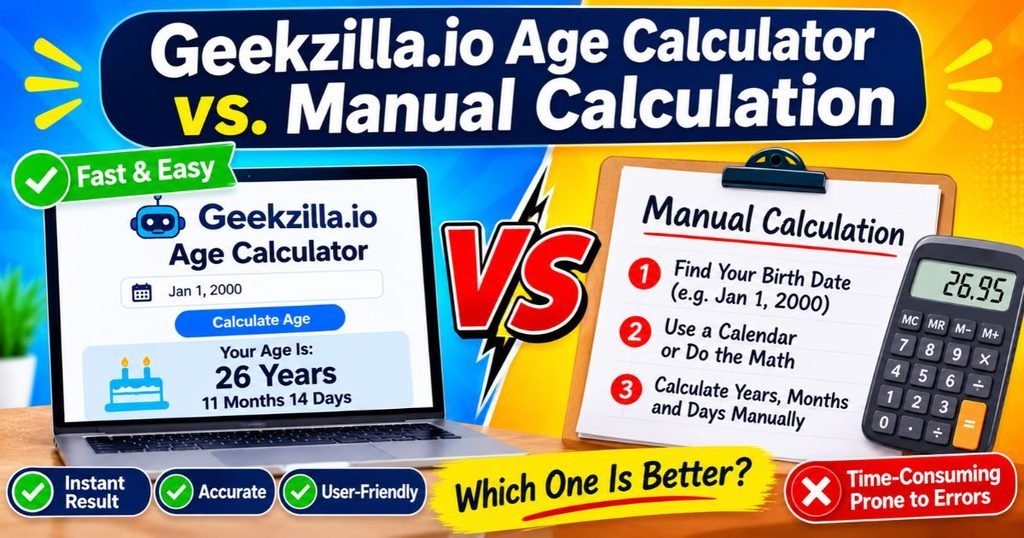
Calculating age by hand is possible, but it is slower and more error-prone. You have to subtract years, then months, then days, and adjust whenever the day or month subtraction goes negative. Months with 28, 30 and 31 days make the borrowing step confusing. A single slip can leave you off by a month or a few days.
The Geekzilla.io age calculator removes that friction. You enter two dates, and it handles the borrowing and leap years in an instant. This is especially helpful when you need to check several ages, such as a whole class or a family. The time saved adds up quickly, and the risk of arithmetic mistakes drops.
Manual calculation still has a place when you want to understand the logic or have no internet access. It is a good way to double-check a result once in a while. For everyday use, though, the calculator is the better choice. The table compares the two methods:
| Factor | Calculator | Manual calculation |
| Speed | Instant | Slow |
| Error risk | Low (if dates are correct) | Higher |
| Handles leap years | Automatically | Must be done by hand |
| Needs internet | Yes | No |
| Best for | Everyday and repeated checks | Learning or offline checks |
Frequently Asked Questions About Geekzilla.io
What is Geekzilla.io?
Geekzilla.io is a website that offers simple online tools, with its age calculator being the one covered in this guide. It lets you enter a date of birth and see your age in years, months and days. Because details about the site can change, check its own pages for the most current description of what it offers.
What does the Geekzilla.io age calculator do?
It calculates the time between a date of birth and a chosen date, usually today. The result is shown as a full breakdown rather than a single number. This makes it useful for forms, eligibility checks, child development tracking and general curiosity.
Do I need an account to use it?
Tools of this type usually work without sign-up, and you can simply enter your dates and read the result. However, features can change, so follow whatever the page itself asks for. If a basic age calculation ever requires payment details or sensitive personal data, stop and reconsider.
Is the Geekzilla.io age calculator accurate?
A well-built age calculator is accurate as long as the dates you enter are correct. Most mistakes come from typing the wrong day, month or year, or from swapping the date format. Test it with your own birthday to confirm the output matches what you already know.
Can I calculate age for a future or past date?
Yes, in most cases you can change the calculation date to any day after the birth date. This helps when planning school entry, checking a job requirement or finding someone's age at a past event. The end date must always be later than the birth date.
How does the calculator handle leap years?
It follows the real calendar, so any 29 February that falls between the two dates is counted automatically. People born on 29 February are usually treated as having a birthday on 28 February or 1 March in non-leap years. Check official rules if the exact day matters legally.
Is Geekzilla.io free to use?
Simple calculators like this are commonly free, but pricing and features can change at any time. Check the site directly for any mention of subscriptions or premium plans. Be careful with pop-ups, forced downloads or any request for payment details.
Can I use the result on official forms?
Use the calculator as a convenient cross-check, not as an official record. For legal documents, visa applications, school admissions or insurance, compare the result with your birth certificate or ID. Official documents always take priority over an online tool.
Conclusion
The Geekzilla.io age calculator does one job well: it turns a date of birth into a clear age in years, months and days. It saves time, avoids the common mistakes of manual counting, and handles month lengths and leap years automatically. For everyday needs such as forms, planning and curiosity, it is a convenient and easy-to-use option.
As with any online tool, good habits matter. Enter the correct dates, test the result against a date you already know, and keep an eye on the basics such as a secure connection, a clear privacy policy and the data a page asks for. Because public details about Geekzilla.io are limited, confirm any specific feature or policy on the site itself before relying on it.
For anything official, such as legal paperwork, visas, school admissions or insurance, treat the calculator as a helpful cross-check and let your documents have the final word. Used that way, Geekzilla.io is a quick, practical helper for answering one simple question accurately: exactly how old is someone on a given day?



Leave a Reply